Learn how to make your Steam profile artwork look cleaner and more professional by removing artwork titles. This guide will walk you through the process and provide tips to enhance your Steam profile.
Prerequisites for Hiding Steam Artwork Titles
Before you begin, ensure you meet the necessary requirements for editing your Steam artwork titles, including Steam level and profile settings.
1. Steam Level 10 minimum (Level up here 24/7).
2. Ensure the right Artwork Design:
Choose from 500+ ready-made designs with up to 50% off (Browse here) – delivered within 1 hour!
Get custom designs tailored to your style with 20% off (Order here).
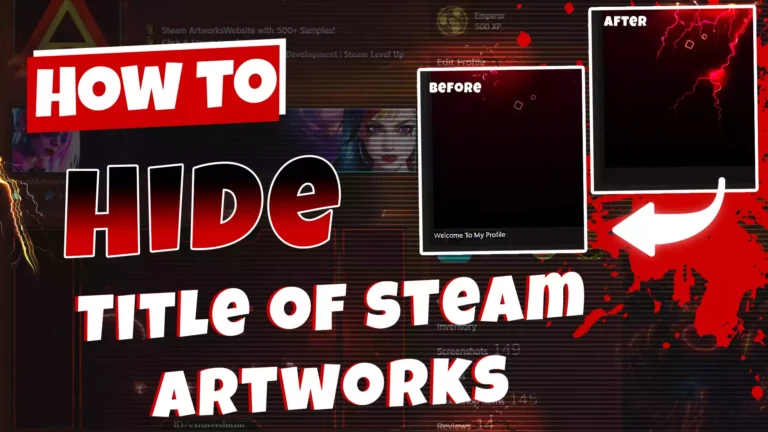
Visual Examples: Before and After Hiding Steam Artwork Titles
See the difference a hidden title can make. We’ve included example images to demonstrate how your profile can transform.
Before:

After:

Method 01:
Use the invisible letter in the title section, and open your artwork uploading section by following link:
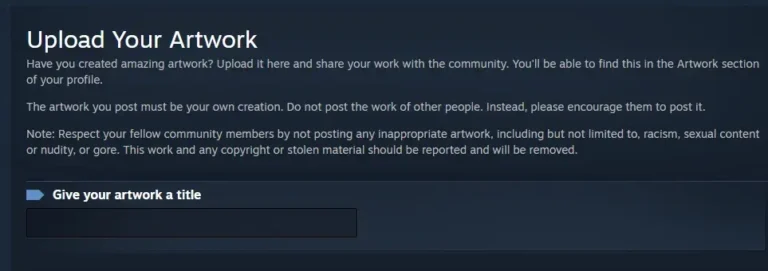
Invisible Letter:
Copy from inside square brackets [ ] and paste into your title.
Method 02:
Using the Console code you can upload your artwork without a title. You might be confused about the Artwork console code, you can first use the Artwork Gif Console Code and then you can use the Title following code, both will work (Tested)
Invisible Title Code For Artwork Showcase
v_trim=_=>{return _},$J(‘#title’).val(‘ \n’+Array.from(Array(126),_=>’\t’).join(”));
Invisible Title Code For ScreenShot Showcase
$J(‘[name=file_type]’).val(5);